The best client app
for Clio firms.
Quilia is the client portal powered by AI agents, built to work on top of Clio. The agents reach each client by text, with no login, or in the Quilia app if they prefer. They remind clients about appointments and deadlines, answer their questions, and collect the documents and signatures each matter needs, then sync every update straight into Clio. Your staff stops chasing. Your files stay complete.
Built for every practice area: family law, immigration, estate planning, employment, personal injury and more.
12-minute demo. No commitment.
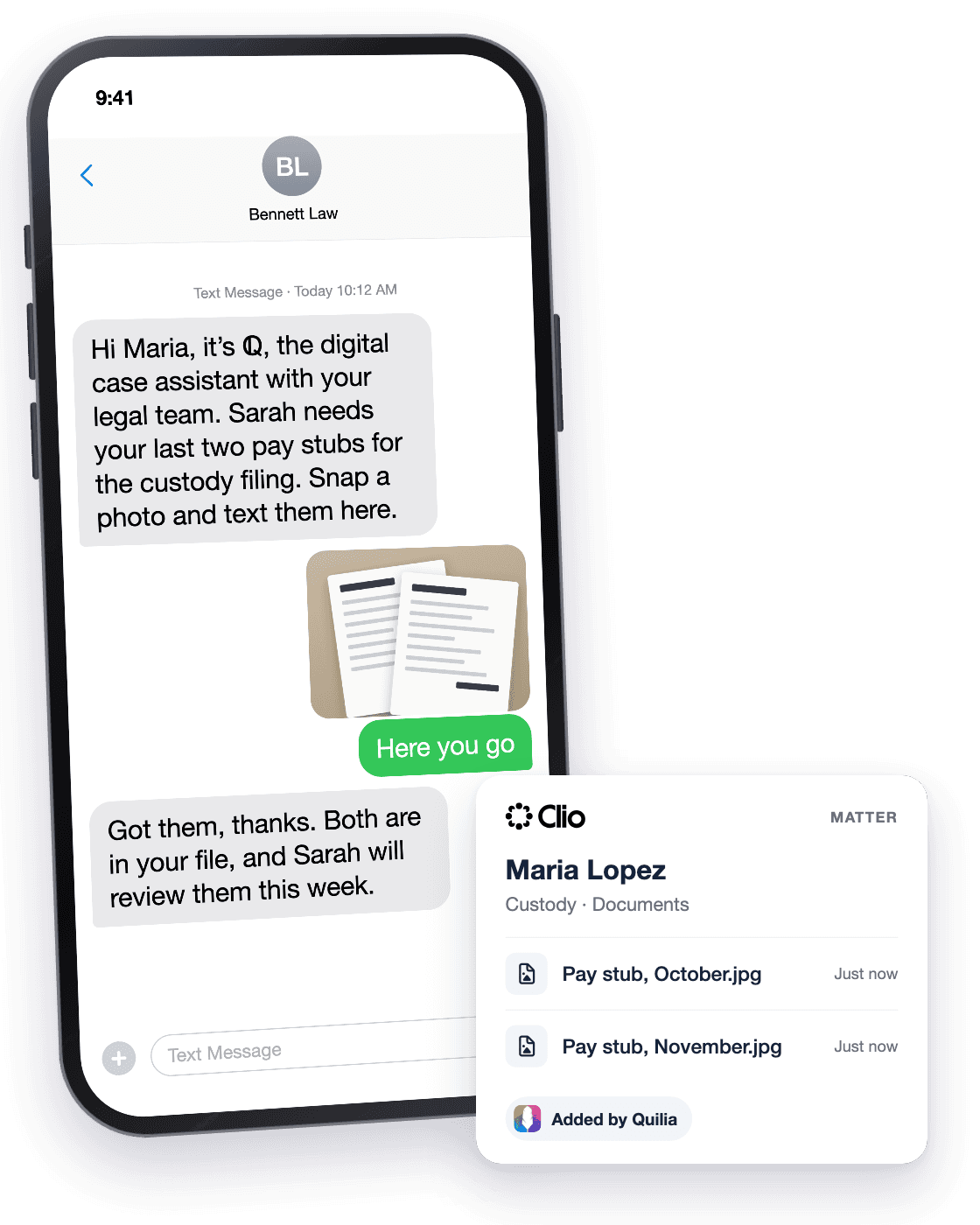
How Quilia works with Clio
No new system for your team to learn, whatever your practice area. Quilia sits on top of Clio and the AI agents do the chasing.
Invite from the matter
Send the Quilia invite straight from the case. Your client gets a text with a magic link and they are in, in seconds.
AI agents take it from there
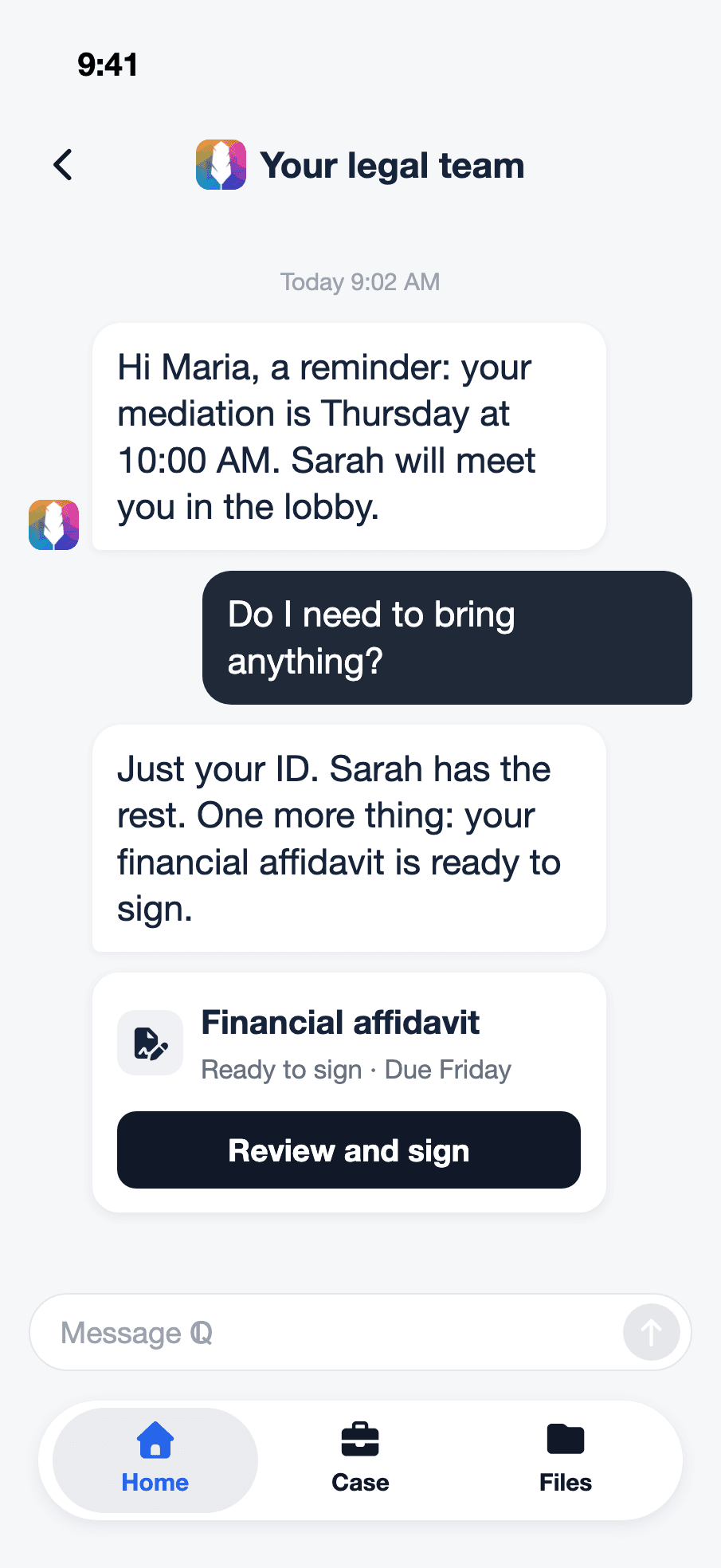
Quilia's AI agents remind your clients about appointments and deadlines, answer their questions, and collect the documents and signatures the matter needs, by text or in the Quilia app.
Everything syncs to Clio
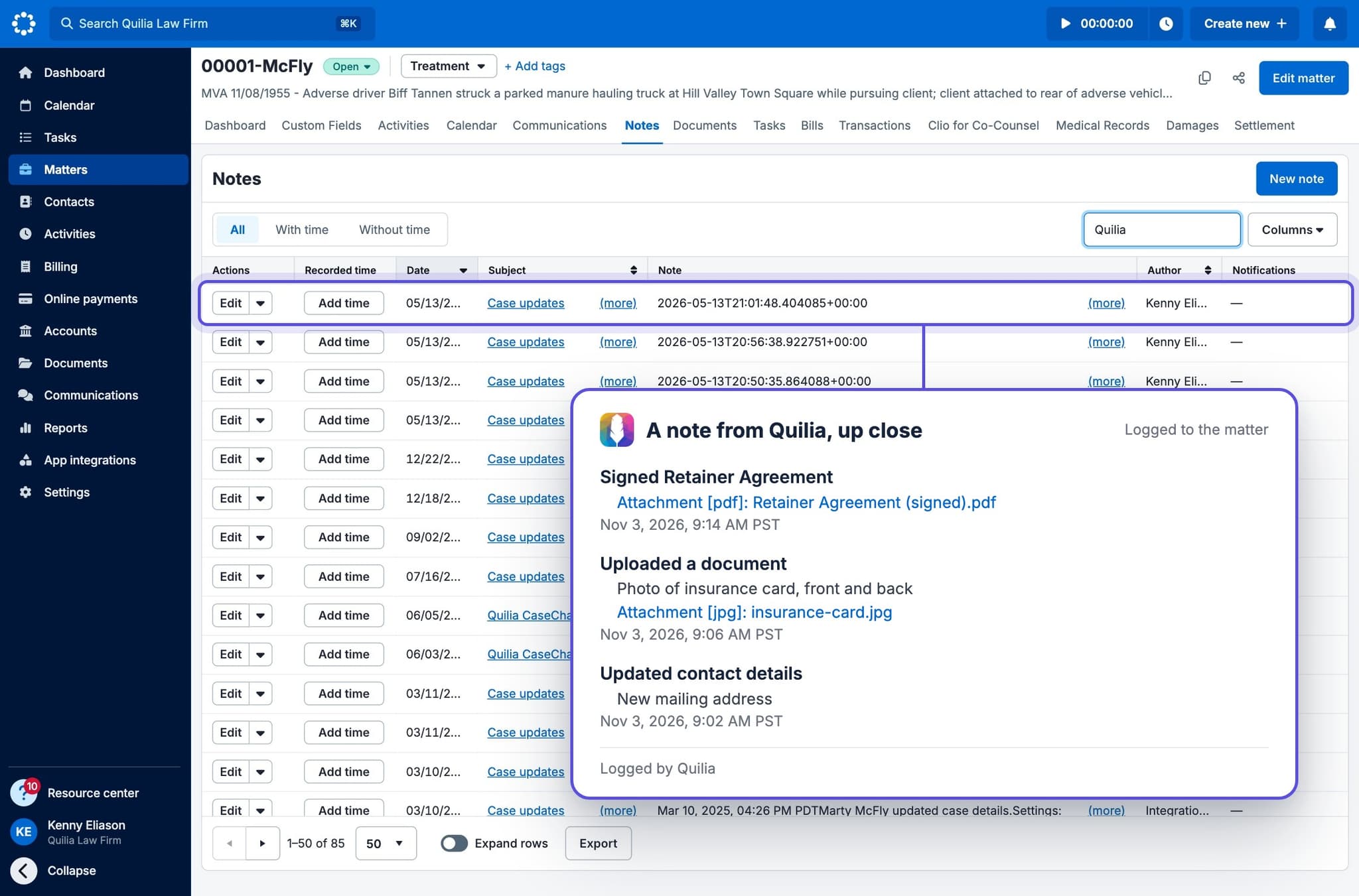
Every update flows straight back into the Clio matter. Your team keeps working in Clio exactly as they do today, with a complete file.
AI agents that guide every client
Quilia's AI agents keep each Clio client moving: reminders for appointments and deadlines, requests for documents and signatures, and answers to their questions, by text or in the Quilia app, so your staff stops chasing and your matters stay complete.
Every update syncs back into Clio
Messages, documents, appointments, and client answers flow straight into the Clio matter automatically. Your team works in Clio exactly as they do today, with a complete, up-to-date file.
Clio runs your firm. Quilia keeps every client moving.
Clio runs your matters, documents, and deadlines. Quilia works alongside it, guiding each client through their case day to day. Its AI agents handle onboarding, reminders, document and signature requests, and client questions, by text or in the Quilia app, then sync every update back into the Clio matter. Your team stays in Clio, and your clients stay moving.
"Quilia makes it easy for clients to track medical appointments, upload bills, and log notes—all of which integrate directly into our system. It's a game-changer for keeping cases organized. For what we get, Quilia is pretty affordable. It makes the client experience what we'd expect if we were going through this ourselves."

"Quilia has quickly become an essential part of our process. The proactive notifications save time, reduce confusion, and make our communication with clients smoother than ever."

"Working with Quilia has been a game-changer. Onboarding was a breeze, and their team's outstanding responsiveness and meticulous attention to detail ensure that nothing falls through the cracks. Their commitment to excellence has made our workflow significantly more efficient, giving us confidence in every client interaction."








Bring Quilia to your Clio firm
- Sits on top of Clio, no workflow change for your team.
- Clients answer questions, sign forms, and upload documents from their phone.
- Every update syncs straight back into the Clio matter.
- Automatic reminders cut no-shows and missed deadlines.
- Your staff stops chasing clients for status updates.
Clio FAQs
Common questions about using Quilia with Clio
What is Clio for Clients?
Clio for Clients is Clio's client app: clients download it and sign in to message the firm, see shared documents and check calendar events. It shows what the firm shares with them.
Do I still need Quilia if my clients use Clio for Clients?
They work well together, and many firms run both. Clio for Clients is where clients see what the firm shares and message the team. Quilia reaches out: ℚ texts with each client about their own matter, collects what the case is missing and syncs it to the matter in Clio, with no app download or login required.
Does Quilia work with Clio?
Yes. Quilia connects with Clio to sync client communication, documents, and request responses into your case files. We handle the client side, so your team can stay focused.
How does Quilia enhance Clio's client portal?
Clio for Clients is a place clients can check. Quilia reaches out: it texts with each client about their own matter, reminds them about appointments and deadlines, collects the documents and signatures the case needs, and syncs it all back to Clio. Clients take part in their case without logging in to a portal.
Can Quilia sync with Clio's matter management?
Yes. Client messages, documents, appointments, and request responses sync to the right matter in Clio automatically. Everything is organized and accessible within your existing Clio workflow.
Does Quilia work with Clio's billing features?
Quilia doesn't handle billing. What it collects from clients (documents, signed forms, answers to your requests) lands in the Clio matter, so the file is complete when it is time to bill or close the case.
Can I use Quilia with Clio's mobile app?
Yes. Quilia works alongside Clio's mobile app. Your team can access everything through Clio's interface, while clients use Quilia's mobile app for engagement and updates.
How is Quilia different from Clio for Clients?
They complement each other. Clio for Clients gives clients a place to message the firm and see shared documents. Quilia adds the follow-through: automated reminders, case phase updates, and document and signature requests, by text or in the Quilia app, for every practice area.
Can I use Quilia if I already use Clio?
Yes. Quilia is built to work alongside Clio. Firms add it to their existing Clio setup for client follow-through, and every update syncs back to the Clio matter.
Does Clio for Clients follow up with clients?
Clio for Clients is built for clients to check in with the firm. Quilia adds the follow-up: it reminds clients about appointments, deadlines and missing documents (and, on injury cases, gaps in treatment), so nothing stalls the case. The two work side by side.
Does Clio have an API?
Yes, with approval. Developers apply for a Clio developer account, which goes through an application review (Clio developer docs). Quilia already connects to Clio, so there is nothing to build.
What integrations does Clio support?
Clio lists 300+ apps (Clio pricing, October 2026); browse them in its App Directory. Quilia is one of them on your side: client messages, documents and request responses sync to the matter in Clio.
Can Clio text clients?
Yes. Clio Manage has two-way text messaging, which needs a toll-free number (Clio help). Quilia works alongside it: ℚ texts with each client about their own matter, collects what the case needs and writes it into Clio.
How do I connect Clio to Quilia?
Follow our Clio setup guide.