Google Reviews Management for Law Firms
Automatically ask happy clients for Google reviews—only when they're satisfied.
Quilia identifies satisfied clients through NPS surveys. Then it automatically prompts them to leave Google reviews.
This targeted approach means you only ask clients who are already happy. This dramatically increases your 5-star review rate.

Track Client Satisfaction with NPS Scores
Quilia surveys your clients on the schedule you set, using Net Promoter Score (NPS) methodology. Clients rate their likelihood to recommend your firm on a scale of 0-10.
You see how clients feel as their answers come in.
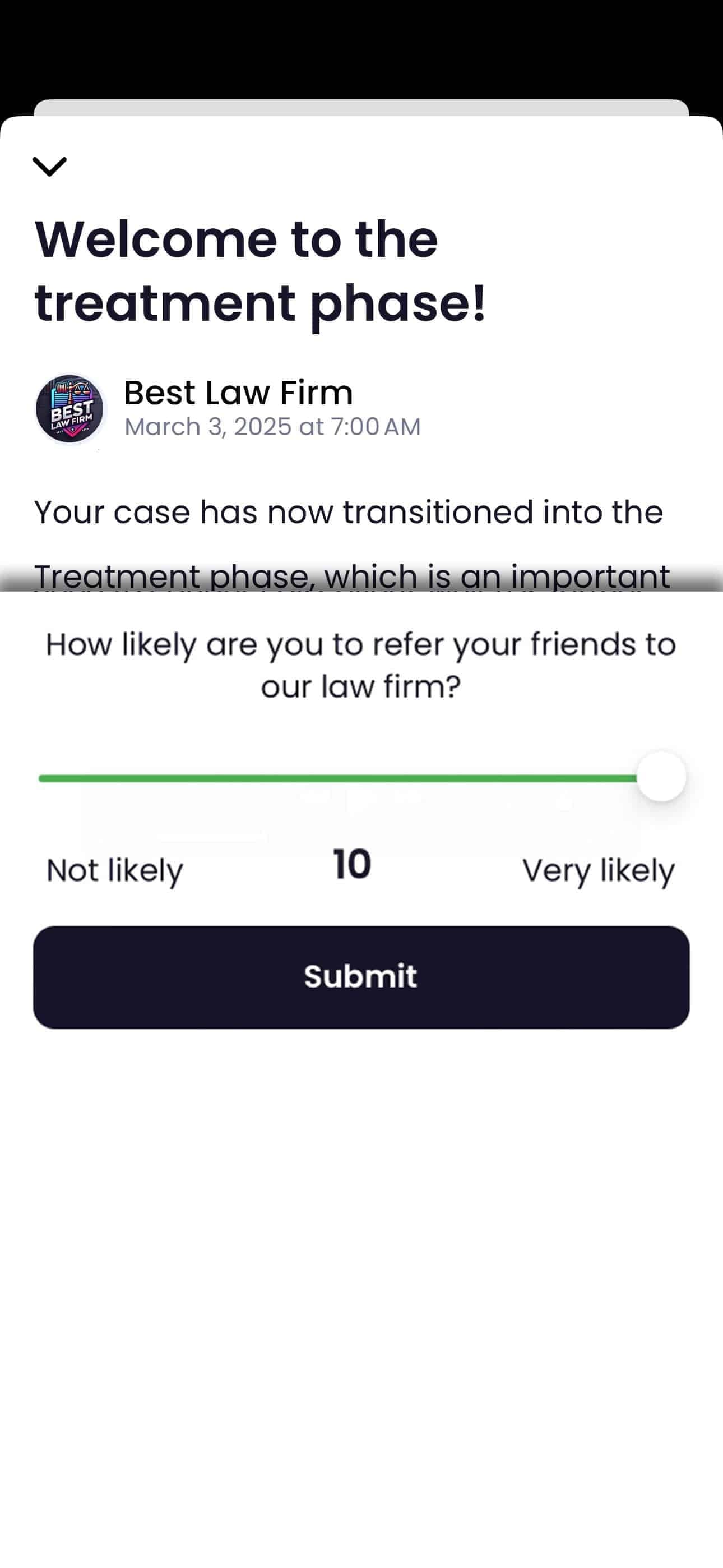
Smart Review Requests for High Scorers
When a client scores 9 or 10 on the NPS survey, Quilia automatically prompts them to leave a Google review.
The system directs them to your firm's specific Google Business Profile URL. This makes it easy for satisfied clients to share their positive experience publicly.
Track Your Review Performance
See every score and comment. Track which clients have been asked. Monitor your Google review trends over time.
View the full reputation dashboard for team performance, case-level attribution, and detailed analytics.
Law Firm Reputation Management Benefits
Address Issues Before They Go Public
Clients who provide low NPS scores (0-6) are flagged for immediate attention. They are not asked for reviews.
This gives you the opportunity to address their concerns privately. You can potentially prevent negative public reviews.
Set-and-Forget Automation
Set it up once in an automation, add your Google review link, and the entire process runs on its own.
Your team can focus on providing excellent service. Quilia handles the review acquisition process in the background.
Mobile-Optimized Experience
Review requests are optimized for mobile devices. This makes it easy for clients to leave reviews on-the-go.
Answering takes a few seconds, and one tap takes a happy client straight to your Google review form.
Reviews & Reputation FAQs
How does Quilia help my firm get more Google reviews?
Quilia uses NPS scoring to identify happy clients and automatically prompts them to leave a review on your firm’s Google profile. That means more 5-star reviews without extra work from your team.
Do all clients get asked to leave reviews?
No. Only clients who give a high satisfaction score (9 or 10) are prompted. This keeps reviews authentic while avoiding frustration from clients who may not be ready to post feedback.
Can Quilia flag unhappy clients before they leave bad reviews?
Yes. If a client gives a low satisfaction score, your team is alerted immediately so you can address concerns before they go public.
Does the review process feel complicated for clients?
Not at all. Clients answer one quick question in the app or by text and, if they’re a high scorer, one tap opens your Google review form.
Can we track review performance over time?
Yes. Quilia’s analytics dashboard shows NPS trends, review request activity, and which clients left feedback, helping you spot patterns and improve client satisfaction.